PEDIATRIC HANDBOOK
HOLTZ CHILDREN'S HOSPITAL
PEDIATRIC RESIDENCY PROGRAM

-
Focus on events that occurred overnight for each patient.
-
Take note of any medications that were started or changed overnight.
-
Divide up the patients between you, your co-intern(s), and Sub-I.
-
Remember:
-
Medical students can be assigned one of your patients, but you are still responsible for pre-charting them and performing your physical exam before rounds.
-
Any patient who is assigned to the Sub-I is followed by the senior resident.
-
-
See all of your assigned patients and conduct a focused physical exam on all of your assigned patients (aka you are expected to have completed an exam on all your patients).
-
Ask about sleep, diet, pee/poop/pain, and anything else relevant.
For a more detailed guide on efficient and effective charting in Cerner, click the button below. Based on “How to Crush Cerner (for people who have been crushed by Cerner)” by Jheison Giraldo, MD.
-
Use your WOW (workstation on wheels) and open up Cerner to the pediatric view of the patient that you will present.
-
Might have to zoom out “CTRL” + “-” to have the pediatric view visible on the right side of the screen.
-
You can present right off of the pre-charting you did and in the SOAP order!
-
Pay attention to your co-interns presentation and plan, place orders for your co intern.
-
Presentation order can vary by attending/specialty dependent (refer to each team page on this handbook for more information) but generally…
Start with a ONE-LINER:
-
The one-liner is arguably the most important sentence you will say on rounds.
-
It frames how the team thinks about the patient and directly impacts the rest of your presentation.
-
A high-quality one-liner should be:
-
concise, clinically meaningful, include age, key past medical history, and the primary reason for admission.
-
-
For example:
-
“John is a 10-year-old boy with no significant past medical history who is admitted for orbital cellulitis.”
-
Overnight Events
-
From the patient & family, nurse, and sign out team.
-
“Overnight, he had one episode of NBNB emesis, was given zofran x1, no other events”
-
Objectives
-
Vitals | Physical Exam | Laboratory | Imaging | Microbiology
Assessment
-
Mention one sentence about your overall impression of their progress: “stable”, “improving,” “worsening.”
-
Discuss differential diagnosis, medication side effects, reasons for poor treatment results, etc.
Plan
-
Discuss the plan with the senior before rounds.
-
Problem-based or system-based (your choice).
-
Discuss what the patient is receiving for each problem.
The medical team conducts rounds at the patient’s bedside with the active participation of the patient’s family or caregivers. It emphasizes collaboration, communication, and shared decision-making.
The care team rounds at the patient’s bedside. Ask parents if the team can come in to round or if they would like to join at the door.
-
Put in all pending orders and run the list “RTL” with your senior (which means go over each patient on the team and their plan).
-
Finish up the assessment and plan part of your note on Pediatric View.
-
On the bottom left side under “Create Note”, you can click on “History and Physical” for an admission note or click on “More”, “Select Other Note”, and under Type, choose “Pediatric Progress Note, and ensure the title is “Progress Note”.
-
Click “OK,” and the information from the pediatric view will be pulled into your note.
-
Do a final read and send to the attending by clicking on “Submit” and send.
PREPARE FOR ROUNDS
HOW TO CHART EFFECTIVELY
ESSENTIALS

THE HUB: WHAT IS IT?
A centralized location for many resources you will utilize through the entirety of your residency journey. Including contact info, call schedules, clinical pathways, useful tips and tricks, rotation guides, important forms, and more.
The HUB is updated weekly to include the upcoming Morning Report assignment and topics for Grand Rounds, AHD, and Noon Conference.
Download via App Store or Google Store to access the mobile.
HOW TO GET EMAIL ACCESS?

For computer access, click the button below.
Server: http://outlook.jhsmiami.org
ANDROID

-
Mail app > Settings > Manage Accounts
-
Click “+” > enter username & password
-
Click “Manual Setup”
-
Click “Microsoft Exchange ActiveSync”
-
Fill in details:
-
Server: outlook.jhsmiami.org
-
Domain: PHT_domain
-
Username & password
-
Click “Next”
-
Click “OK” if it asks for “Remote Security Administration.”
-
Use the next screen to set up the account as you prefer (sync duration, notifications, etc)

IPHONE
-
Settings > Accounts > Add account
-
Exchange
-
Enter full email & “Jackson” as the description
-
“Configure Manually”
-
Enter password
-
Fill in details:
-
Server: outlook.jhsmiami.org
-
Domain: PHT_domain
-
Username & password
-
-
Click “Done”


WHAT IS AMION?
Amion is aIs a digital platform used by healthcare organizations to manage on-call and work schedules for clinicians, providing real-time access and communication across departments to streamline scheduling and improve efficiency.
To access the latest schedule (that is confirmed and published) visit:
-
Organization Access Code / Password: umipe how to effectively navigate Amion.

HOW TO EFFECTIVELY NAVIGATE AMION:

Once logged in, the homepage looks something like this:

To view your individualized schedule, click Block in the top left corner. After it should look as above:

Depending on your choice, it may look something like this:
Once logged in, the homepage looks something like this:
Use the images above to follow the step-by-step instructions below.
-
Once logged in, the homepage looks as above.
-
To view your individualized schedule, click Block in the top left corner.
-
Click on the drop-down menu that reads “-- All rows –”, and find your name.
-
This view will show your scheduled rotations for the year.
-
Additionally, the Yearly clinic summary view will show all days in the year when you are required to attend the continuity clinic and the shift (AM/PM). Take a picture of this schedule and save it on your phone; it will make your life easier when you have to schedule follow-up appointments at ACC.
WHAT IS NEW-INNOVATIONS?
A cloud-based software platform designed to handle scheduling, evaluations, procedure logging, compliance, and more. It simplifies the administrative tasks associated with residency training, allowing to efficiently manage and track trainee activities, performance, and accreditation requirements such as:
-
Duty Hours
-
Filling out Program/Faculty Evaluations
-
Reading Rotation Feedback Evaluations
-
Check into conferences
-
Conference Attendance Reports
To access New Innovations, click on the button below:
Institution: JMH
Login with username/password
PROCEDURE REQUIREMENTS FOR GRADUATION
 Bag Mask Ventilation |  Bladder Catheterization |  Giving Immunizations |
|---|---|---|
 Incision & Drainage of Abscess |  Lumbar Puncture |  Neonatal Endotracheal Intubation |
 Peripheral Intravenous Catheter Placement |  Reduction of Simple Dislocation |  Simple Laceration Repair |
 Simple Removal of Foreign Body |  Temporary Splinting of Fracture |  Umbilical catheter placement |
 Venipuncture |
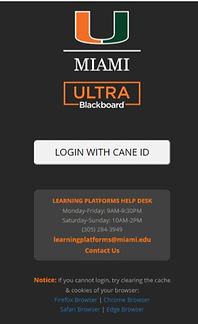
BLACKBOARD
Educational resource where all rotation information is kept.
To access Blackboard, click on the button below:
-
Click on LOGIN WITH CANEID
-
Your CaneID can be found on New Innovations OR you can follow this link (Forgot CaneID) and click “Forgot your CaneID”.
-
If you forgot your CaneID password → reset it by visiting https://caneidhelp.miami.edu/
-
-
Once you are logged in → go to the Courses, and you should see Ped-UMH Pediatric Department.
ZOOM
Option for Grand Rounds, Staff Conference if NOT on campus.
Log in using your Jackson email.
Zoom etiquette:
-
Video on for attendance.
-
Mute your microphone on entry and throughout, unless speaking BUT please ask questions.
-
Be mindful of your background.
-
Virtual backgrounds → your Work-From-Home look/brand.


EDUCATIONAL RESOURCES

MEDSTUDY
Med Study books and Flashcards:
-
Set of 5 books and flashcards that cover the most relevant topics for the American Board of Pediatrics, from general pediatrics to subspecialty topics.


INTERPRETER COMMUNICATION
FOR ALL OTHER LANGUAGES:
Say the language name clearly:
-
For Haitian Creole, say: “Haitian Creole”
-
If the system does not recognize the language, say “Speak to a representative” until you are connected to a live representative, who will ask:
-
“What language do you need?”
-
-
INTERPRETER WILL ASK FOR:
-
Patient’s Medical Record Number (MRN)
-
Your Badge ID
-
Whether the patient is with you or if they need to call the patient
HOW TO ACCESS
LANGUAGE LINE SOLUTIONS
INTERPRETER SERVICES
DIAL:
1 -800-874-9426
ENTER CLIENT ID:
203067
LANGUAGE OPTION:
Press 1 for Spanish
Press 2 for all other languages
SUGGESTED INTRODUCTION FOR INTERPRETER:
"Hello, my name is Dr. [Your Name], one of the pediatric doctors. I would like to use your service to interpret for a mother who is here with her two-month-old baby for a well-child visit."
THIS SERVICE CAN BE USED FOR:
-
Anywhere within Jackson Health System
-
In the clinic, inpatient wards, ED, or specialty clinics
-
Outside of work settings, including from home to contact families
-
Whether the patient is with you or if they need to call the patient
TIPS FOR EFFECTIVE USE
-
Speak directly to the patient or parent, not the interpreter.
-
(e.g., “How are you feeling today?” rather than “Can you ask her how she’s feeling?”)
-
-
Speak in short, clear sentences and pause frequently.
-
Avoid medical jargon and idiomatic expressions.
-
Be respectful and patient with both the interpreter and the patient.
-
Always thank the interpreter at the end of the session.